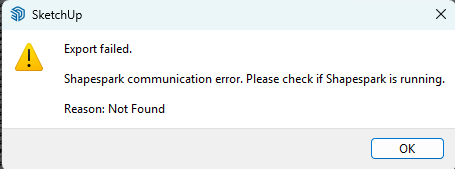
When I try and use the Shapespark software I am coming up with the issue of it saying “404 page not found”

Hi,
On what computer are you running Shapespark?
Which Shapespark version are you running?
Can you try uninstalling it and installing again latest version (3.4.2):
https://download.shapespark.com/app/win/ShapesparkSetup-3.4.2.exe
Before running Shapespark plugin in Sketchup you have to make sure that Shapespark desktop app is running correctly.
Hi there, I am running a AMD Ryzen 9 12 core processor with 98gb ram and 24gb of video ram.
I had renamed my pc and that worked but then today I have jumped back on and then it gives me the same message again..
There should be some log files in the following directory:
C:\users\[your_user_name]\AppData\Local\Shapespark\log
Could you send them to us (team@shapespark.com or by a private message on the forums)?
It’s possible that there is another application which uses port 5000 on the local network, which prevents Shapespark from running normally. What you can try to do, is to close all the unnecessary applications before starting Shapespark and see if that helps.
Hi Krzysztof
I’ve managed to figure it out when I changed my computer name it then seemed to work.. thanks for your help.
1 Like