I will try.
If you use Sketchup:
STEP 1
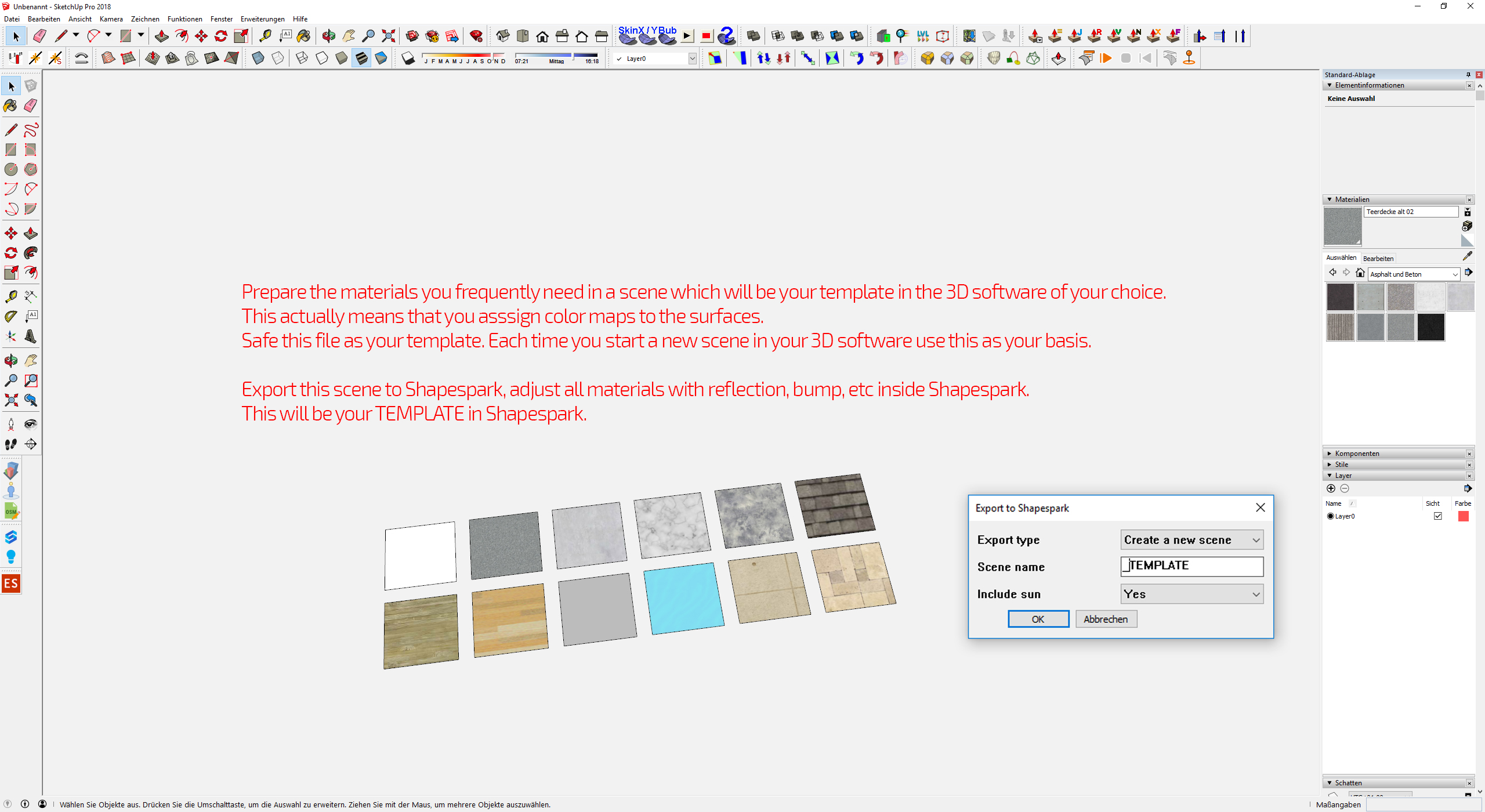
STEP 2
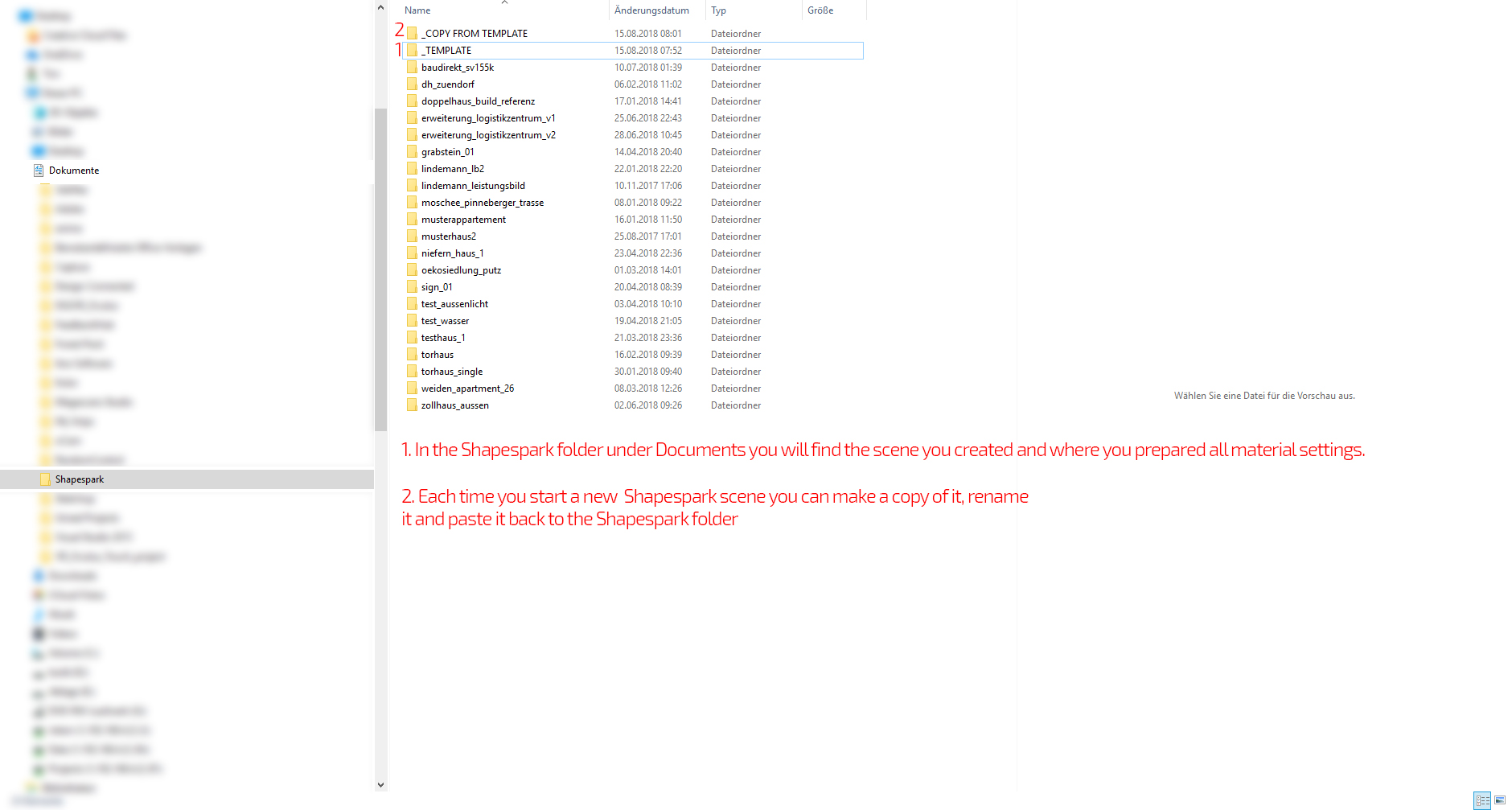
STEP 3
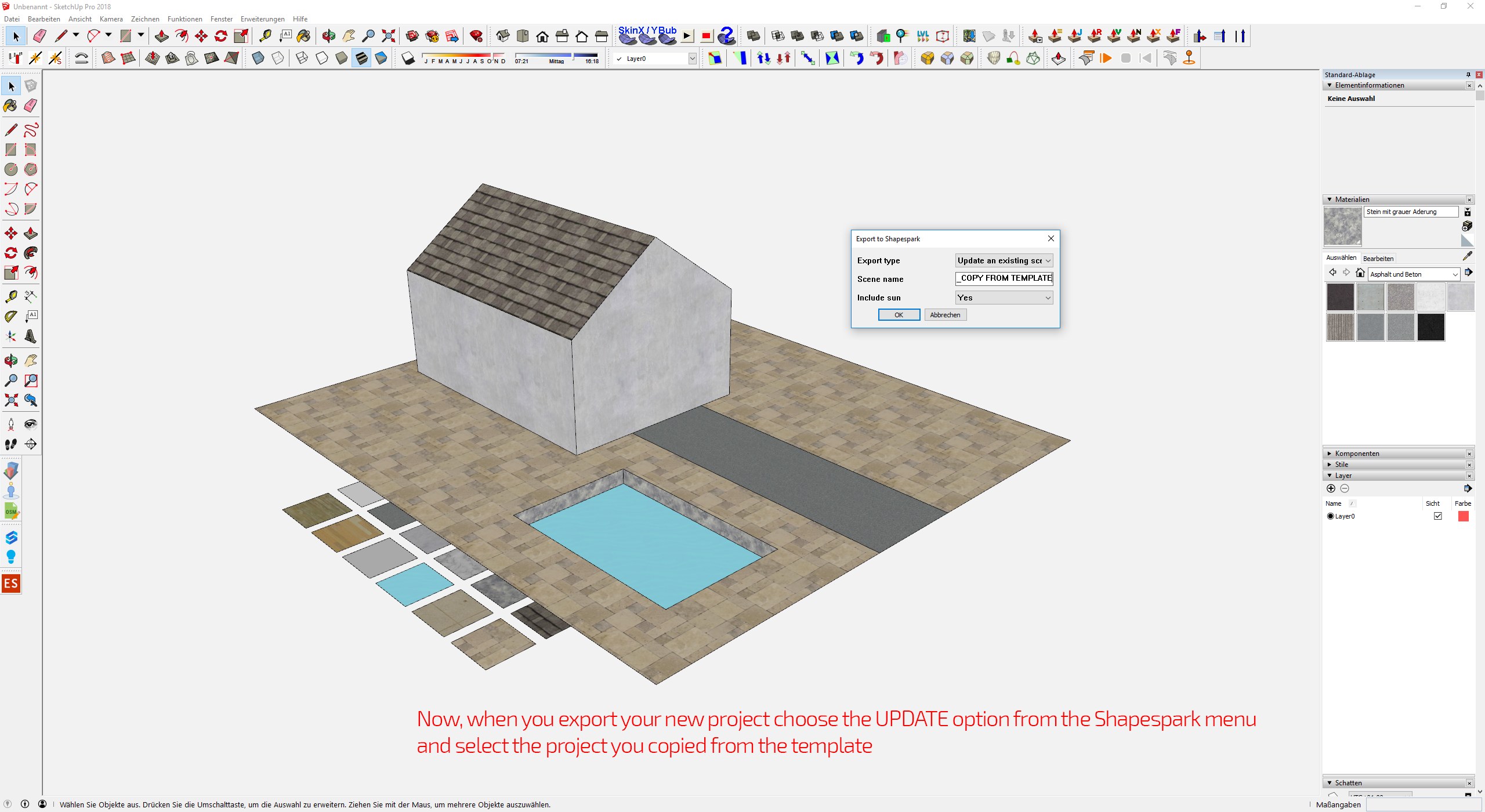
If you use FBX import:
Step 1 and 2 are the same. Prepare the Template scene in you 3D software and import it into a new scene. Copy that scene, rename it and put it back to the Shapespark folder. Inside Shapespark this folder will appear and you can choose the update function there to select the new model.
I hope this makes things more clear.